
Bring the coaching to the child — not the child to the coaching.
Exampay's School Integration Programme brings serious competitive-exam preparation directly into your own school — taught by qualified, experienced faculty, woven into the regular school day. No leaving your hometown. No second institute across the city. No double life. One place, where school and entrance-exam preparation finally pull in the same direction.
static/media/hero-school-programme.svg with your approved 4:3 school photograph.A mission-driven organisation, not just another coaching brand
Every family preparing for a competitive exam is quietly choosing between three paths today
and each one asks them to pay a price they shouldn't have to.
Migrate to a coaching hub
Kota, Delhi or Hyderabad, far from home. ₹2–4 lakh a year, plus hostel and mess. A child leaving home at fifteen or sixteen. Real pressure, and real isolation.
A local coaching centre
Batches stacked on top of a full school day. Quality swings wildly from town to town. Clashes with the school's own syllabus. A double timetable, and burnout.
Online apps & recordings
Cheap or free — but entirely passive. No accountability, nobody solving doubts. Parents can't really see any progress. A screen cannot mentor a child.
Integrated, not parallel.
SIP — the School Integration Programme — is competitive-exam coaching delivered inside the school, by qualified and experienced faculty, and woven into the school's own board curriculum. The same chapter a student studies for their boards is carried to competitive-exam depth in the same week — so they never study it twice, never switch between two teaching styles, and never fight boards and entrance prep as two separate battles.
It is not a separate course bolted on after hours, and it is not a distant centre across town. It is one coordinated system, run on the student's own campus, and shaped around the school it partners with.
See the full model →A clear place for your school story, classroom footage and programme introduction.
This working sample video demonstrates the final layout. Replace it later with an approved campus tour, founder introduction, classroom session or school-partnership story.
static/media/sample-exampay-overview.mp4
An organised, professional rollout — with your school in control at every step
Partnership
We sign a partnership; all activity is agreed to run in step with the school's own calendar.
Student survey
With the school's permission, students are surveyed for interest, stream and readiness.
Orientation
Students and teachers are walked through what SIP is and how it will work.
Parent counselling
One-to-one sessions on campus — honest guidance on streams and fit, no pressure.
Enrolment
Families who opt in enrol their child into the stream that suits them.
Batch formation
Small, level-appropriate batches are formed so attention stays individual.
Classes begin
Preparation starts on campus, synchronised with the school's timetable.
Weekly ERITS & dashboards
Weekly tests run; student, parent and school see the same live data.
Mentoring & doubt-solving
Continuous guidance, doubt-solving and check-ins keep every student on track.
Review with the school
Regular reviews keep everything aligned to the school's goals.
Foundation isn't exam pressure brought forward. It's exam pressure taken away later.
The student who first meets competitive-level Physics or Mathematics in Class 11 spends their first months simply catching up — filling gaps, learning a new depth of thinking, and fighting their boards at the same time. The student who began quietly in Class 8 or 9 arrives at that same moment already comfortable, already ahead, with the hardest adjustment long behind them. Foundation doesn't rush a child; it spares them the scramble. A little, done early and unhurried, becomes a great deal by the time it counts — which is exactly why we build it in from Class 6, and why olympiads and NTSE become natural milestones along the way rather than sudden hurdles.
The head-start, visualised
Illustrative only — the shape of a head-start, not measured data.
Exams we cater to
Full detail — eligibility, syllabus, the national picture — opens on each exam's own page.
The calibre of teacher students usually leave home for — now inside their own classroom.
Every SIP batch is led by qualified, experienced faculty, carefully selected for both subject mastery and the ability to teach it. We let experience speak — subjects taught, years in the classroom, students guided to results — rather than leaning on any single label.
Faculty name pending
Physics · 12+ yrs experience
Real name, photo & credentials to follow
Faculty name pending
Chemistry · 10+ yrs experience
Real name, photo & credentials to follow
Faculty name pending
Mathematics · 14+ yrs experience
Real name, photo & credentials to follow
Faculty name pending
Biology · 9+ yrs experience
Real name, photo & credentials to follow
Trusted by schools across India
This belongs in the towns students already live in, not only the metros. We're building a growing network of partner schools right across the country — from state capitals to smaller towns most coaching brands never reach.
Active partner-school count to be confirmed and published here.
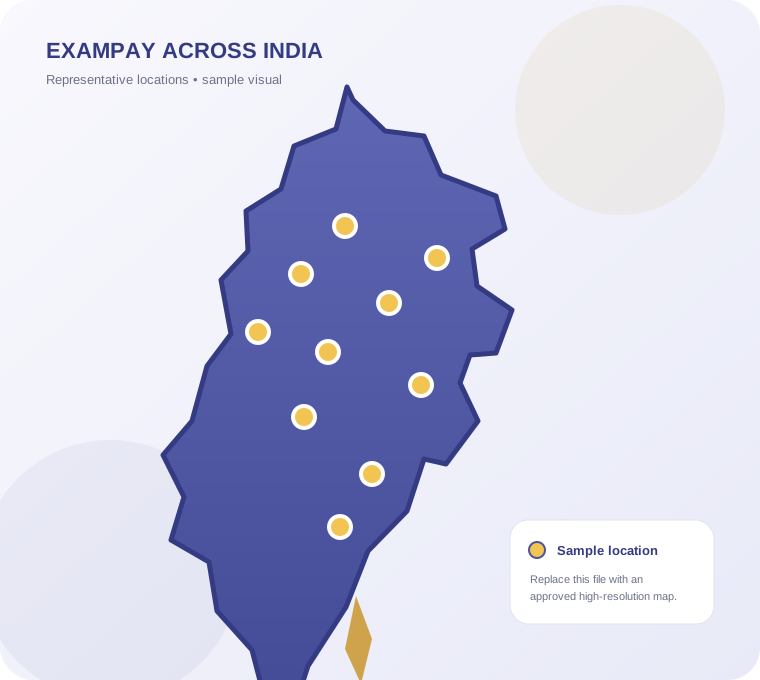
static/media/india-school-network-map.svgStudents, parents and principals
"This space is reserved for a real, consented testimonial from a student — we publish only genuine quotes, never invented ones."
"This space is reserved for a real, consented testimonial from a parent — we publish only genuine quotes, never invented ones."
"This space is reserved for a real, consented testimonial from a principal / school — we publish only genuine quotes, never invented ones."
Gallery
Working sample images are included below. Replace the matching files in static/media when approved photographs are ready.
 Orientation day • sample image
 Classroom session • sample image
 ERITS test day • sample image
 Parent counselling • sample image
 Faculty in session • sample image
 Campus event • sample image
Blogs & resources
Bring SIP to your school or institute.
Tell us about your school and our team will respond with a campus-specific proposal, rollout plan and faculty-allocation discussion.
- No cost or commitment to submit an enquiry
- Response from our team within two business days
- Clear implementation, counselling and pricing discussion
Request received.
Thank you. Our team will review your school's details and contact you within two business days.
Ready to bring SIP to your school?
A short survey is all it takes to start the conversation — our team responds within 2 business days.